AlBe Sound Lab - Audio Editor
Sound Box LLCMusic & Audio
4.639.00 Reviews
- Version
- 1.2
- Installs
- 500.00K
- Age Rating
- Teen
Screenshots
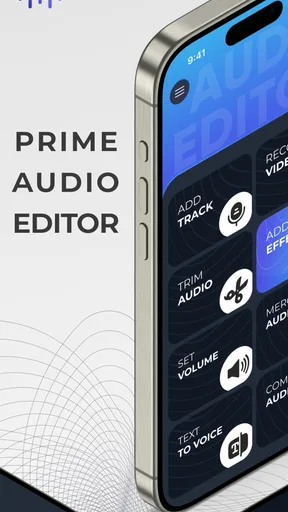
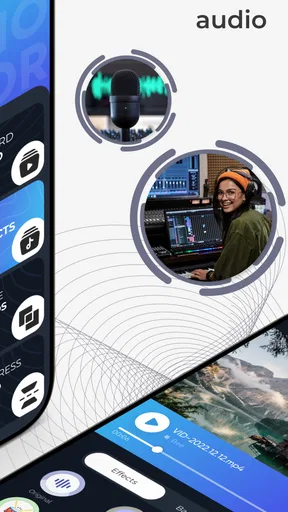
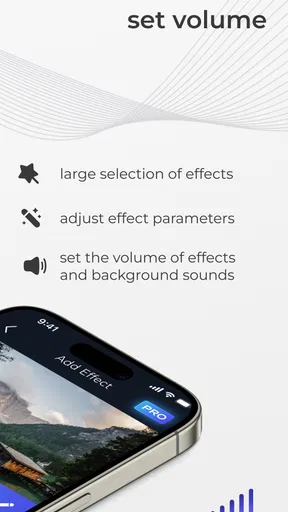
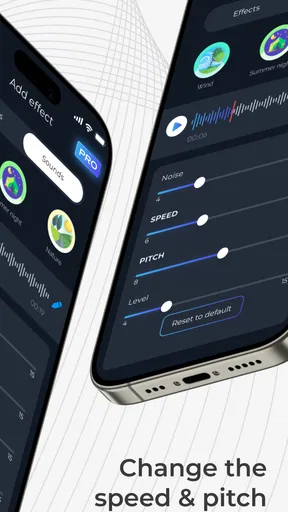
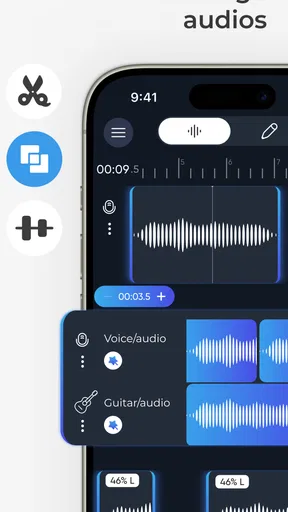
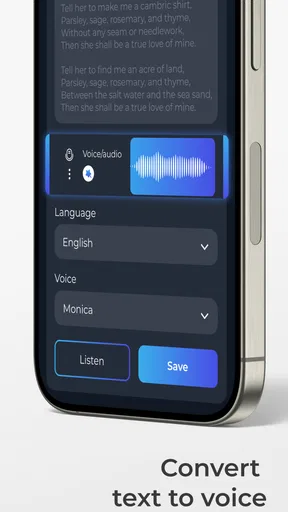
Our Review of AlBe Sound Lab - Audio Editor
 Analysis by Appyee
I approached AlBe Sound Lab - Audio Editor as a practical music and audio tool rather than as a full recording studio. Its basic promise is simple: help turn an idea into something shareable with only a few taps. After spending time with that workflow, my impression is that it is most appealing when speed matters more than deep production control. You can open it when a melody, lyric idea, or rough musical concept arrives and move toward an audio result without first building a complicated project.
That focus gives the app a clear personality. It is not trying to be a general-purpose music library or a social network. It comes from Sound Box LLC and sits in the Music & Audio category, with a Teen content rating. The app is free to install, which makes experimenting relatively easy, although in-app purchases range from forty-nine cents to ninety-nine dollars and ninety-nine cents per item. That wide range is important when judging its value: the free entry point is attractive, but the usefulness of paid options depends on how seriously you intend to use the editor.
Turning a quick idea into a usable audio draft
The strongest reason to try this app is the short distance between inspiration and export. Many audio tools make the first session feel like a lesson in menus, tracks, routing, and technical settings. AlBe Sound Lab - Audio Editor takes a more approachable direction. I found its appeal in the moments when I wanted to capture an idea before it disappeared, shape it into a presentable piece, and share it without treating the process like a formal studio session.
That makes it a natural fit for small creative tasks. You might use it to prepare a rough song idea for a friend, create a sound-based post, assemble audio for a personal project, or test whether a musical concept is worth developing further. The app’s store summary emphasizes exporting and sharing quickly, and that emphasis feels central rather than incidental. The finished result does not need to begin as a polished commercial production for the workflow to make sense.
One useful way to think about the editor is as a bridge between a thought and a draft. A voice memo can preserve a moment, but it often remains buried among other recordings. A full desktop workstation can produce more control, but it may slow down the first creative step. This app occupies the space between those two extremes: more intentional than simply recording an idea, yet less demanding than learning a professional production environment.
The short description identifies it as “AlBe Sound Lab,” while the app’s fuller identity presents it as an audio editor. That distinction matters because expectations can easily become too high. I would not begin with the assumption that it replaces a dedicated workstation, a specialist mastering tool, or a large music-production suite. I would begin with the expectation that it can help me make progress quickly and decide what deserves more work.
How I would use it in an ordinary day
Imagine that I am walking home and suddenly hear a chorus in my head. I could record a rough vocal note, open the editor later, and turn that fragment into a more deliberate audio sketch. Instead of sending an unstructured memo, I could prepare something easier for another person to understand. If I am working with a friend, the export-and-share focus also makes the app useful for passing around an early version without asking everyone to install a complex production setup.
Another realistic scenario is preparing audio for a short personal video. I may not need a long arrangement or a technically elaborate mix; I may simply need an idea shaped into a file that can be shared. In that situation, the app’s quick workflow is more valuable than a large collection of specialist controls I would never touch. The trade-off is that a quick result may still require a second application if the project later demands detailed editing or more advanced finishing.
A less obvious benefit is that a fast editor can help with decision-making. I can make a rough version early, listen to it away from the original idea, and decide whether the concept has enough strength to justify more time. This prevents a common problem in music creation: spending hours polishing a weak starting point because the software encourages endless adjustment. Used this way, the app is not only an editor; it is a filter for creative ideas.
Free access and what the purchase range means
The cost structure deserves a careful reading. The app itself is free, so anyone curious about its basic approach can start without paying an upfront purchase price. That is a meaningful advantage for casual users, students, hobbyists, and people who only occasionally need to turn an audio idea into a shareable result.
At the same time, the presence of in-app purchases means “free” should not automatically be interpreted as “everything is included.” The listed purchase range begins at forty-nine cents and reaches ninety-nine dollars and ninety-nine cents per item. Because those amounts cover a very broad span, I would avoid assuming that every useful capability is available at the low end or that the highest-priced option is necessary for ordinary use. The sensible approach is to explore the free experience first, identify the exact task you need, and only then decide whether a purchase offers enough practical benefit.
This is where the app’s value becomes personal. For someone who wants occasional audio sketches, free access may be sufficient and the app can be judged mainly on convenience. For someone planning frequent creative work, the purchase screen deserves more attention before committing. I would want to know which specific function unlocks the payment, how often I would use it, and whether that function saves enough time compared with a free alternative.
I also would not treat the maximum purchase amount as a recommendation. A high-priced item can make sense only for a user who relies on the app regularly and understands exactly what it provides. It does not automatically make the overall app better for a beginner. The most responsible value judgment here is therefore conditional: the free starting point is easy to justify, while paid value depends on the individual workflow rather than on the existence of a purchase option.
Where the app feels more useful than the usual alternatives
The most common alternative for a quick idea is the phone’s built-in recorder. That option is faster for capturing raw sound, but it usually leaves the user with an unshaped file. AlBe Sound Lab - Audio Editor is more useful when I want to do something with the idea after capturing it. The difference is not necessarily about producing a professional master; it is about moving from “I recorded something” to “I prepared something I can actually show someone.”
The other alternative is a full digital audio workstation. A workstation is normally the better choice when I need detailed control, a complex arrangement, careful mixing, or a project that must remain editable over many sessions. Its strength is depth. AlBe Sound Lab’s strength is the opposite: a smaller creative distance between opening the app and producing a draft. Choosing between them depends on whether control or momentum is the main problem I am trying to solve.
There is also a sharing advantage compared with keeping ideas in isolated recordings. When the purpose is collaboration or feedback, a shaped draft gives the listener more context than a raw fragment. I can communicate the direction of a song or audio concept more clearly, even if the result is still unfinished. That is a practical benefit that is easy to overlook when comparing features on paper.
Still, I would not use this app as my only tool if my work depends on repeatable professional production. A quick editor can be excellent at getting started and less satisfying when a project becomes demanding. The moment I need a highly specific adjustment, a carefully organized multi-stage workflow, or specialist processing, a more focused application may be the better choice. The right comparison is not “which app is best?” but “which part of the job am I doing right now?”
Three workflow habits that improve the experience
My first practical tip is to treat the first export as a checkpoint, not as a final release. Exporting early lets me listen on another device or send the draft to someone who was not present during creation. That outside perspective can reveal whether the idea communicates clearly. It also protects me from confusing the excitement of making something with the quality of the result.
Second, I would keep the original idea separate from the edited version. A rough recording may contain timing, phrasing, or background details that seem unnecessary at first but become useful later. Working from a copy preserves the starting point while allowing experimentation. This is especially important in a fast mobile workflow, where the temptation is to keep modifying the first file until the original character is gone.
Third, I would decide the intended listener before editing. A private sketch, a message for a collaborator, and audio intended for a public post do not need the same treatment. If the purpose is only to communicate a musical direction, speed and clarity matter most. If the file is meant to represent a finished idea, I would spend more time checking the result after export rather than trusting the editing screen alone.
These habits are not flashy features, but they make the app more useful. They turn quick editing into a repeatable process instead of a series of impulsive experiments. They also reduce the risk of paying for options before understanding whether the app fits the way I actually create.
Limitations I would consider before relying on it
The first limitation is the same quality that makes the app approachable: a simplified workflow can become restrictive. Users who already understand advanced audio production may find themselves wanting more control than a quick editor is designed to provide. If every project begins with detailed technical requirements, this probably should not be the center of the setup.
The second limitation concerns expectations around sharing. Fast export is useful, but sharing a file quickly does not guarantee that the audio suits every destination. I would still listen to the exported version, check that it represents the intended idea, and make sure the recipient can use it in the way I expect. Convenience reduces friction; it does not remove the need for a final check.
The purchase model is another point of friction. A free installation encourages trial, but a broad range of optional prices means users should pay attention rather than tap through automatically. Someone who only needs occasional editing may never need to spend anything. Someone who wants a long-term creative tool should evaluate each paid item against a concrete need, not against curiosity or pressure to unlock everything.
The Teen rating is also worth keeping in mind for families. It places the app outside the simplest child-oriented category, so parents should make their own decision about whether it suits a younger user. That rating does not tell me how every person will use the app, but it is a useful reminder to consider the intended audience before handing it to a child.
Performance, support expectations, and staying current
The app requires Android 7.0 or later, which gives it a fairly broad compatibility range for Android users with devices that still meet that requirement. I would nevertheless judge the experience on the actual phone I plan to use, especially if I expect to edit longer or more involved audio. Mobile editing can feel very different on a compact screen than on a larger device, and comfort matters when reviewing details repeatedly.
The current version is 1.2, so I would approach it as a relatively early version of the product rather than as a mature replacement for every established audio application. That is not automatically negative. Early versions can be focused and easy to understand, but they may also evolve quickly. I would keep the app updated and avoid building an irreplaceable archive around it without maintaining copies of important exports elsewhere.
Its public reception is encouraging: the app holds a 4.6 average from around 3.6 thousand ratings and has passed half a million installs. Those figures suggest that many people find the general experience worthwhile, but they should not replace personal testing. Audio needs vary too much for popularity alone to prove that the editor will handle my particular workflow. The best test remains simple: use it on one real project, export the result, and decide whether the saved time outweighs any missing control.
Who will get the most from it
I would recommend trying it first if you are a beginner who wants a less intimidating entry into audio editing. It is also a sensible option for hobby musicians, casual creators, and anyone who regularly has ideas but rarely turns them into organized drafts. The app’s free starting point lowers the risk of experimenting, while the quick export focus gives those experiments a clear destination.
It may also suit people who collaborate informally. If your main challenge is explaining a musical direction to a friend, sending a more considered draft can be more effective than describing the idea in text. The app can function as a communication tool as much as a creative one, particularly when the recipient needs to hear the concept rather than read about it.
I would be more cautious about recommending it to experienced producers who already have a trusted workstation or to users whose work depends on precise, repeatable technical control. They may find the streamlined approach too limited. I would also steer away from making it the sole choice for anyone who needs a complete professional pipeline from recording through final delivery. In those cases, a dedicated specialist tool is likely to provide better long-term value, even if it takes longer to learn.
My verdict on downloading or skipping
My recommendation is to download AlBe Sound Lab - Audio Editor if your priority is turning small audio ideas into shareable drafts with minimal setup. The free entry point makes that trial reasonable, and the app has a clear role that is easy to understand once I stop expecting it to be a full studio. Its best value comes from momentum: capturing, shaping, and sending an idea before it loses energy.
I would skip it, or at least keep it as a secondary tool, if I already know that my projects require deep editing control. In that situation, the app may still help with early sketches, but it is unlikely to replace the software I use for serious production. I would also avoid purchasing anything until I have completed a real workflow and can name the exact problem the purchase solves.
Overall, Sound Box LLC has made a focused music and audio app for people who want less ceremony between inspiration and a usable result. I like that its purpose is practical rather than overloaded. The honest trade-off is equally clear: you are paying, when you choose to pay, for convenience within a focused workflow—not automatically for a complete professional studio. For quick ideas, informal collaboration, and low-risk experimentation, that can be a very good deal. For demanding production, another option will probably serve you better.
Verdict
Strengths of AlBe Sound Lab - Audio Editor
- Supports precise waveform editing for trimming and cutting audio.
- Includes practical tools for adjusting volume and applying basic effects.
- Useful for preparing custom ringtones, clips, and short audio projects.
- Audio files can be edited directly on a mobile device.
- Its interface is suitable for users familiar with basic audio editors.
Limitations of AlBe Sound Lab - Audio Editor
- Advanced mixing and mastering features may be limited for professionals.
- Large or high-quality audio files can require considerable storage space.
- Some tools may take time to learn without audio-editing experience.
- Export options may not meet every format or quality requirement.
- Performance can vary depending on the device and audio file size.
Similar Picks in This Category
View All
YouTube Music
Google LLC4.4

Samsung Music
Samsung Electronics Co., Ltd.3.8

Spotify: Music and Podcasts
Spotify AB4.3

JioSaavn - Music & Podcasts
Saavn Media Limited4.3

Lark Player:Music Player & MP3
Lark Player Studio - Music, MP3 & Video Player4.6

StarMaker: Sing Karaoke Songs
SKYWORK AI PTE. LTD.4.3
Frequently Asked Questions
What is AlBe Sound Lab - Audio Editor used for?
AlBe Sound Lab - Audio Editor is designed for recording, editing, and processing audio directly on a mobile device. It can be useful for trimming recordings, adjusting sound, applying effects, and preparing clips for sharing or further production. It may suit musicians, podcasters, voice-over creators, students, and anyone who needs practical audio tools without using a desktop computer.
Which audio editing features are available in AlBe Sound Lab?
The app provides a selection of tools intended for everyday audio editing, such as cutting unwanted sections, joining or arranging clips, changing volume, and applying sound effects or processing. Depending on the version and device, available options may also include format conversion, recording, playback controls, and basic adjustments. Users should check the current app listing for the exact feature set.
Can AlBe Sound Lab record audio as well as edit existing files?
AlBe Sound Lab is focused on working with audio, and recording may be available alongside its editing functions. This can make it convenient for capturing voice notes, musical ideas, interviews, or other sounds before editing them in the same app. Recording quality will depend on the phone or tablet microphone, the selected settings, and the surrounding environment.
What audio formats does AlBe Sound Lab support?
Format compatibility is an important consideration before importing or exporting projects. AlBe Sound Lab may support common audio formats for playback, editing, and saving, but the exact list can vary according to the app version and operating system. If you need to work with a specific format, confirm that it is supported in the current store description before downloading.
Is AlBe Sound Lab suitable for professional audio production?
AlBe Sound Lab can be practical for quick edits, mobile recordings, simple effects, and preparing audio while away from a computer. However, users producing complex music, multitrack projects, or studio-quality releases may require a more advanced digital audio workstation with detailed mixing, plugin support, and precise automation. It is best viewed as a convenient mobile editor rather than a complete replacement for professional desktop software.
